
If your Android phone won’t charge or only charges at an angle, you’re in the right place. At Aussie Mobile Phone Repairs in Brisbane, we diagnose the port, the cable and the charger, then repair the connector with care. We service Samsung, Google Pixel and more, and our repair service uses genuine parts whenever parts are required. Book now and we’ll get your device charging with confidence.
 Signs your phone needs a charging port repair
Small checks help confirm if the charge problem is the cable, the charger or the charging port so you can act quickly. If you wiggle the plug and the phone won’t charge unless you hold it, the port may be worn or obstructed.
Common issues include a loose connection during frequent plugging and unplugging, charging slowly even with a good charging cable, or charge cutting out when you bump the lead. Swap in a second cable to rule out a faulty lead, and try a different wall charger. If the phone’s charging port feels gritty or the charging port is clogged with lint, debris can prevent charging. Moisture alerts on some Android devices after rain can also point to a damaged charging path.
Quick checks
- Try two known-good cables and a second charger to charge your phone.
- Look inside the port with a torch; avoid metal tools inside the port.
- If the phone supports wireless charging, try a wireless charger to keep going.
- Back up now if you can still charge your phone intermittently.
Common charge and cable issues on Android phones
Most charging problems trace back to debris, wear and tear, or a damaged charging path. Pocket fluff can form a clog that lifts the connector slightly so contacts can’t meet.
We often see bent or broken pins inside after a snag, or broken pins inside the port from an accidental yank. A faulty charging pop-up can appear after a splash. On Samsung Galaxy models, tight cases can angle the plug; on Google Pixel the USB-C tongue is sturdy but still vulnerable to knocks. If only one cable fails, suspect the cable first; if all fail, the issue is likely the port.
Symptom vs likely cause
- Charges only when held vs loose connector or debris
- No response on every cable vs damaged charging port or board fault
- Charges on slow power only vs cable or adapter limitation
How our repair process restores a reliable charge
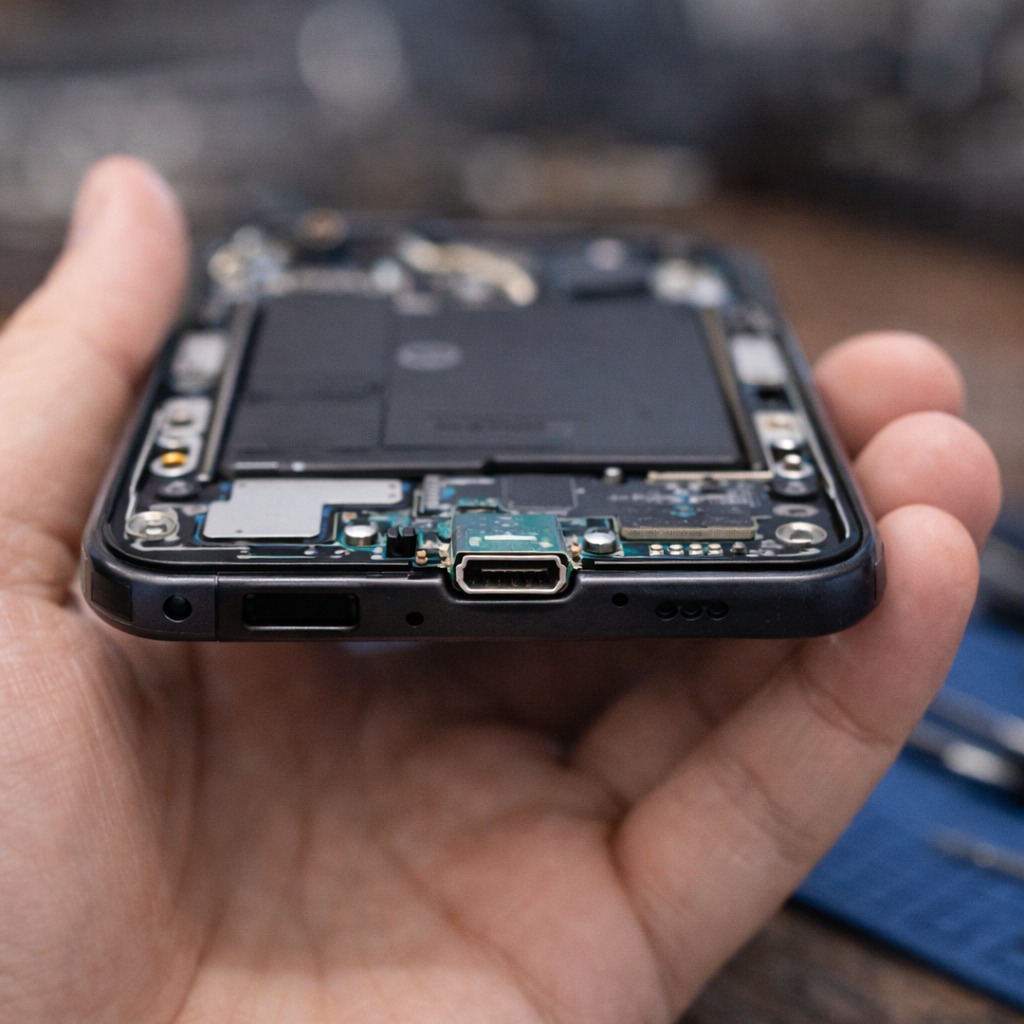
A careful workflow rules out accessories, confirms the fault and keeps data safe. We test the charge path, inspect for broken pins inside the port, and check the board side for damage.
If cleaning won’t restore contact, we perform connector rework or port replacement with genuine parts where suitable, following authorized repair guidance where available. Simple cleans can be completed within 30 minutes; deeper work can take longer if additional repairs are needed. Our repair service offers clear updates, photos when helpful, and options so you stay in control.
What we do in our repair shop
- Intake test to verify device charging and phone battery health
- Visual inspection for charging port damage and faulty charging symptoms
- Non-invasive clean using a soft brush or compressed air
- Connector refit or charging port replacement when needed
Cost, timing and repair options for Android charging ports
Final cost depends on model, part availability and whether the connector or main board needs work. Many customers choose repair over a new phone because turnaround is faster and the cost is usually lower.
If your Android phone powers on, we often get your device charging the same day. Where the connector is torn from the board, we may recommend a replace-level fix with port replacement. While you wait for parts, using wireless can be a practical option when supported. We’ll outline costs up front and flag any additional repairs before we proceed.
Your options at a glance
- Clean and refit when the charging connector is obstructed
- Replace the connector when a faulty charging port is confirmed
- Use wireless as a stopgap if supported by your handset

Clean the port safely before you book
A gentle clean can restore proper charging if debris is the culprit. Power down first to stay safe. Use a soft brush to loosen lint and a short puff of compressed air to clear it.
Do not poke with pins or knives as you can damage the port or bend contacts. If the device still won’t charge after a tidy-up, seek professional repair to prevent worsening the issue. This approach can prolong the port over time and keep contacts aligned.
How to clean without harm
- Turn off the phone and remove the case.
- Inspect inside the port with a light; don’t scrape.
- Use a soft brush or compressed air to clear lint.
- Reconnect with a known-good cable and check for charging properly.
A quick scenario: After a beach day, your Samsung shows intermittent charge. You clean carefully; it improves slightly, then fails again. That suggests corrosion starting at the pins. Booking now helps prevent charging port damage spreading.
Android charge standards vs iPhones and cables
Connector types affect accessories, diagnostics and turnaround. Most Android phones use USB-C, while many recent iPhone models now also use USB-C after moving away from the Lightning port.
We handle iphones as well as Android, though this page focuses on Android phone care. If you need iphone repair, our team can advise timeframes and parts. For mixed households, keeping a high-quality USB-C cable on hand reduces frustration across brands.
Connector comparison
- USB-C: durable tongue, reversible, common on Android and recent iPhone
- Lightning port: older Apple connector still seen on some handsets
- Accessories: check power ratings to avoid charging slowly

When this may not be the right fit
Charging port work won’t help if the charge IC has failed, the battery is swollen, or impact has fractured the board. Deep corrosion after a swim can also defeat simple port work.
In these cases we’ll discuss board-level solutions or data-first strategies. If your handset is very old or needs a screen and battery as well, moving to a new phone might be the smarter option. We’ll provide options without pressure.
How to judge if you need this now or later
Act now if the phone not charging stops your day, you must hold the lead to charge, or the device charging drops out with minor bumps. Waiting risks bigger faults.
If one cable is flaky but another works, monitor it while you arrange a check. To decide quickly, think about reliability, safety and cost. If a loose connection keeps cutting power, early attention can fix a charging fault before contacts arc.
Simple decision guide
- Consistent failure to charge → schedule a repair
- Intermittent but worsening → book assessment soon
- Works only on wireless → come in to confirm the port
Where this connects to everyday phone care and next steps
Habits keep the charge path healthy. Avoid yanking cords, support the plug while gaming, and keep pockets lint-free. Quality adapters and a spare cable at work reduce stress.
If your phone supports wireless charging, alternating between wired and wireless lowers wear. Ready to repair your phone with a professional team? Book online and we’ll inspect, clean and, if needed, repair the connector so you can charge with confidence.
Care tips that extend port life
- Avoid plugging and unplugging under strain
- Don’t charge under blankets; heat can stress contacts
- Use certified leads and adapters for proper charging
FAQs
What causes a faulty charging port on Android?
Debris, knocks, or moisture are typical causes. Wear and tear plus sudden tugs can loosen contacts. We test first, then clean or repair the connector as needed to restore stable charge.
Can I learn how to fix this at home?
A light diy fix is to power off, gently clean, and try another lead and adapter. If that fails, seek professional help so we can diagnose safely and avoid damage to sensitive components.
Do you service Samsung and Google Pixel?
Yes. We repair Samsung and Google Pixel alongside many Android brands, and we can help with iPhones too. Different connectors, same careful approach.
What if there are bent or broken pins inside?
Stop plugging in. Bent or broken pins inside can short and create bigger faults. Bring it in so we can assess and perform a safe hardware repair.
How soon can you get my phone charging again?
Simple cleans are often completed within 30 minutes, subject to queue and model. If parts are needed, we discuss timelines on the spot and offer workable options.
Book now Ready to get your phone back on charge? Use our online form to schedule a repair and we’ll get your phone sorted promptly.