
Aussie Mobile Phone Repairs helps Queensland schools prepare any iPad fleet for fast, safe repair. We support campus drop-off and courier workflows, and we document faults so your iPad comes back ready to learn. Follow this pre-repair plan to protect student data and shorten downtime, then book your repair with our team.

Why schools should prepare iPad for repair services
Good preparation protects student data, speeds triage, and ensures the right repair or replacement service the first time. Well-prepared units let a technician confirm symptoms quickly, allocate the right replacement parts, and keep audit trails tidy. Schools that standardise prep see fewer back-and-forth calls, and each iPad returns to class sooner.
Quick gains from a 10-minute prep
- Back up the iPad and note the passcode status.
- Photograph any cracked screen, dents, or liquid marks.
- Attach a printed fault note with asset ID and contact.
- Remove cases and accessories to avoid losses.
A quick scenario: a class set arrives with each iPad labelled and backed up. The technician opens one ticket per asset and starts bench tests immediately, cutting idle time by a day.

Pre-checks before booking iPad repair and device repair
Quick tests confirm the fault, capture symptoms, and prevent avoidable delays during intake. Power cycle the iPad, check for a dying battery warning, and try different chargers to isolate a faulty charging port. If the iPad won’t boot, attempt a forced restart and note any error codes. These simple steps help us diagnose and fix issues faster on arrival.
Five-point pre-check
- Charge to at least 20% and note if the charging port feels loose.
- Test buttons: volume, sleep/wake, and the home button.
- Open Camera and Notes to confirm touch and audio.
- Record asset ID, student name (if assigned), and room.
- Remove cases; keep SIMs with the school.
Consider a lab trolley test: plug four units in, note which iPad charges, and tag any that stall at low percentages so battery replacement is considered at triage.
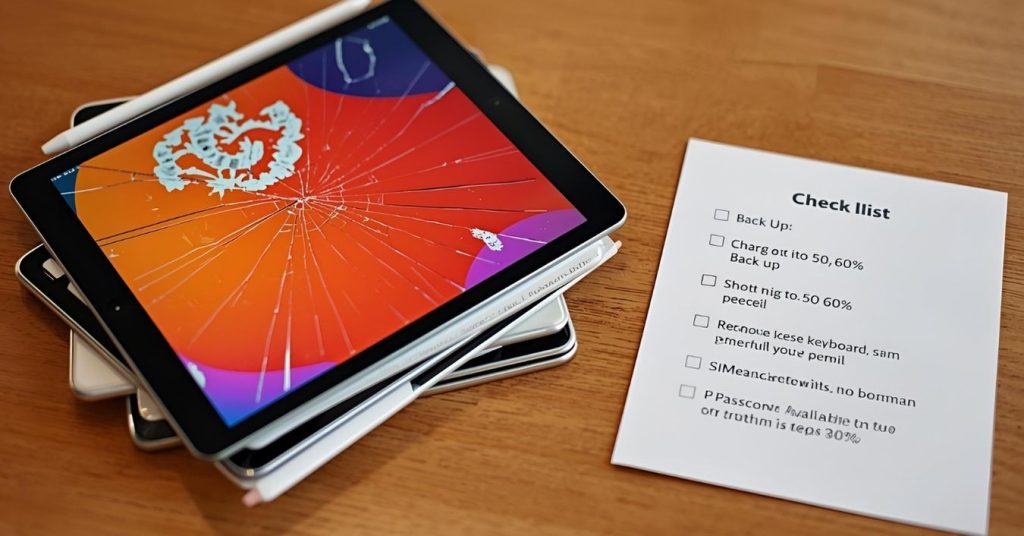
Data and security on iPads, iPad mini and iPad air
Back up, sign out where required, and disable locks to keep students safe and the repair moving. Before sending an iPad mini or an iPad air, complete an iCloud or Finder backup, then confirm you can unlock the iPad for testing. If policy requires, sign out of services and record the Apple ID email on the fault note.
Security checklist
- Back up locally or to iCloud and verify restore options.
- Turn off Lost Mode if enabled.
- Note any MDM profile so we coordinate with ICT.
- Remove passcode if permitted by policy.
To decide if you should wipe now or later, weigh data sensitivity against turnaround. If a unit contains assessment work, back up first, then leave unlock enabled so bench tests can proceed.

Assessing common issues and the repair process
Identify patterns like water damage or a faulty charging port so a technician can move straight to the right bench tests. Typical classroom faults include impact damage, liquid spills, and accessories jammed in the port. If a student reports an unresponsive touch area, note where on the iPad screen the fault occurs. Clear notes speed our repair process and reduce rework.
Common classroom fault cues
- Won’t charge: inspect for debris; note if port is wobbly.
- Lines on display: photograph and record frequency.
- Audio issues: test with and without headphones.
- App crashes: note exact apps to isolate software issues.
A quick scenario: a spilled drink causes water damage. Your note mentions sticky buttons and intermittent boot. We prioritise cleaning, board inspection, and, if needed, port replacement so the repaired iPad returns stable.

Packing and logistics for mobile device pick-up
Label, pad, and document each broken iPad to avoid mix-ups and speed return to class. Place each iPad in a padded satchel with its asset ID on the outside and a fault note inside. Remove cases, apple pencil, and chargers unless we’ve asked to include them. Keep trolleys and class-set cases at school to prevent accessory loss.
Packing table for schools
| Item to send | Include? | Why it helps |
|---|---|---|
| iPad only | Yes | Reduces handling and weight |
| Cases/covers | No | Avoids lost accessories |
| apple pencil | No | Prevents mix-ups; test separately |
| Fault note | Yes | Guides bench triage |
If damage includes sticky residue near the battery area, note it; technicians may use kapton during safe disassembly. Where needed, we’ll advise on courier labels from our Brisbane hub.
Choosing the right path across common issues
Match symptoms to likely next steps so approvals are clear and downtime stays low. If the issue is a cracked screen with normal touch, a screen replacement is likely. If the iPad won’t hold charge, battery replacement may be recommended. If debris or wobble is present in the socket, charging port work, including port replacement, may be needed.
Decision pointers
- Touch dead zones or shattered glass → screen replacement services.
- Rapid power drop or swelling → battery replacement or assessment.
- No charge or intermittent connection → inspect faulty charging port.
When you authorise, note whether you prefer repair or replacement service for units beyond economical repair. This keeps approvals clean and cycle times short.
Parts, quality and approvals for school fleets
Set expectations on parts and quotes so finance and ICT stay aligned. We use genuine parts where requested and quality tested alternatives when budgets require. Schools should indicate if they must use genuine apple parts for specific cohorts. Clear notes help our expert technicians select the best path within policy.
Approval tips
- Share your per-unit cap so quoting is fast.
- Tell us if only genuine parts are allowed.
- Flag warranty status and any prior attempts.
Some education teams prefer comprehensive iPad repair services with pooled approvals. We can align with that model so each iPad moves from intake to bench quickly.

When this may not be the right fit
There are times when manufacturer procedures are required to protect coverage or specialised features. If a unit is under AppleCare or linked to special-needs accessories, your policy may require service – apple support pathways first. Where coverage is active, follow that route to preserve entitlements and then contact us for out-of-warranty work.
How to judge if you need this now or later
Use simple triggers so you only send what truly needs workshop time. Send now if the iPad shows safety concerns like swelling or heat, or if classes depend on the device daily. Defer if a class can share for a week and you’re waiting on admin approvals. Track patterns; multiple failures may signal a charging cart issue, not the iPads.
Where this connects to school device care policy and next steps
Pre-repair steps work best when embedded in your school’s device care policy and class routines. Add this checklist to your ICT page, train staff to complete the note, and log each iPad in your help desk. Over a term, you’ll reduce repeat faults and maintain a reliable iPad fleet without extra admin load.

Frequently Asked Questions
What to send with each unit
- The iPad only, no case or chargers.
- Fault note with asset ID, contact, and symptoms.
- Photos of visible damage like water damage or impact.
Final checks before booking
- Back up and unlock if policy allows.
- Record passcode status and Apple ID email.
- Note if charging port is loose or dirty.
- Confirm approvals and budget cap.
Why choose Aussie Mobile Phone Repairs
We’re a Brisbane-based team focused on education device repair. Our technicians handle tablet repair and phone repair daily and follow clear intake steps schools can trust. We don’t promise timelines we can’t keep, but we do keep communication tight from first ticket to a repaired iPad back in class.